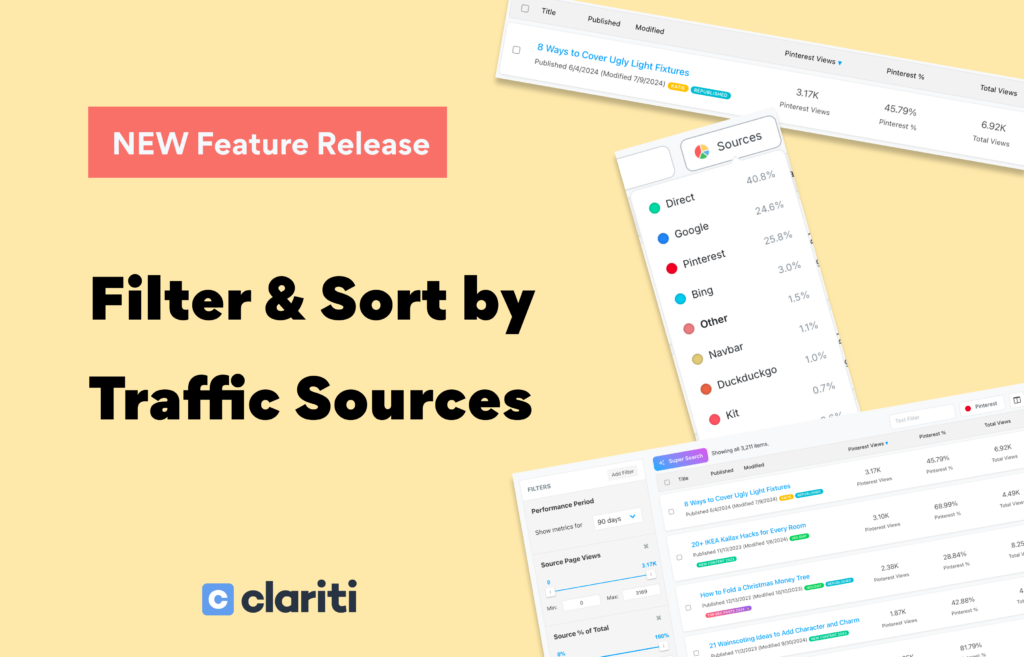
Clariti now lets you select a traffic source and instantly rank your entire content library by how well that source is performing for each post, so you can stop guessing and start making smarter content decisions.
If you manage a content library with hundreds of posts, you’ve probably asked yourself questions like these: which posts is Google actually sending the most traffic to? Which ones are getting almost no social traffic even though they perform well overall? Where are the real wins from my email newsletter hiding?
Until now, answering those questions meant exporting data or piecing things together across multiple tools. We wanted to make it a single click inside Clariti, and that’s exactly what we built.
Select a Source. Click a Header. See the Performance.
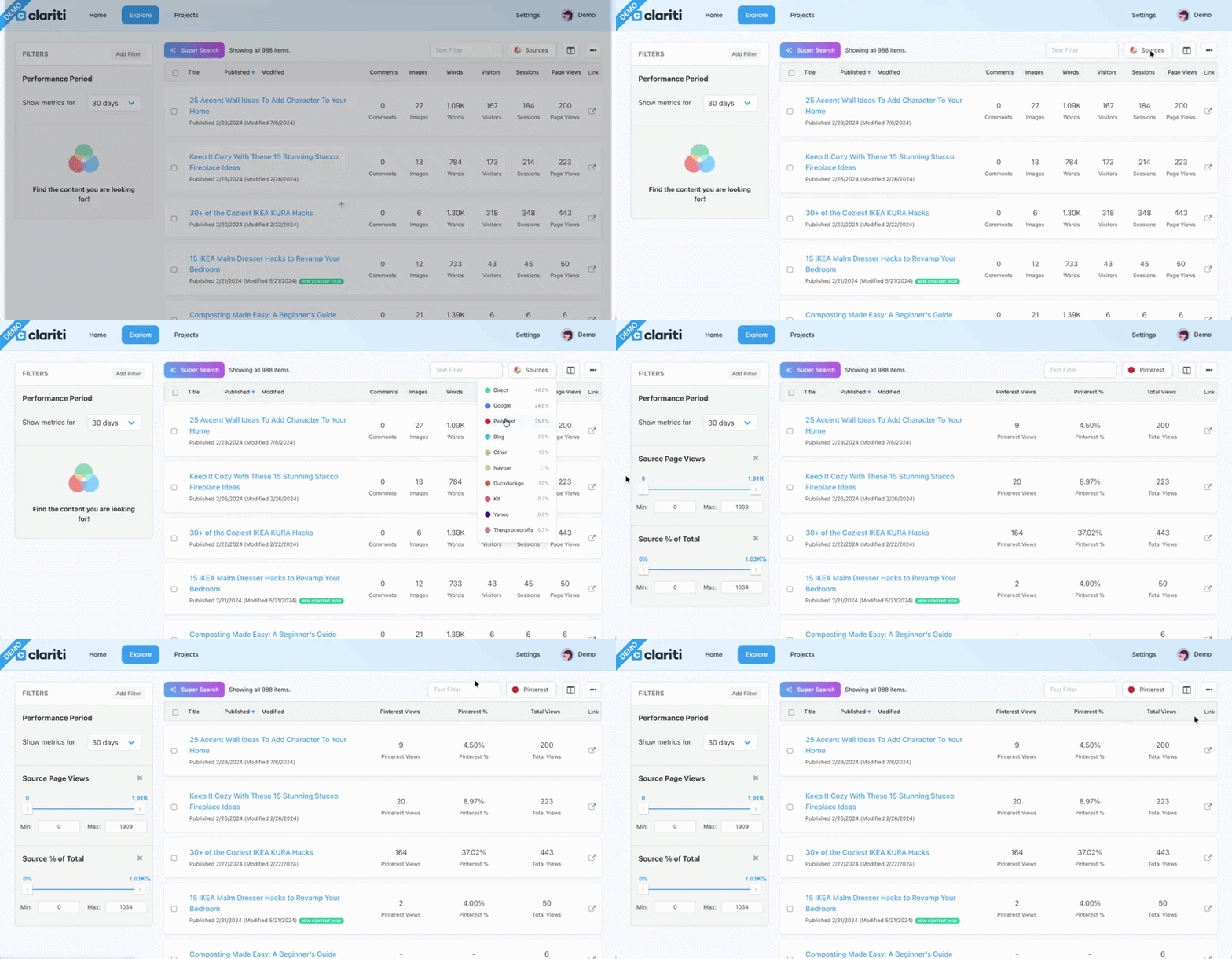
Head to your Explore page and click the traffic source selector near the top of your post list. You’ll see your top 10 traffic sources from the past 12 months — Google, Direct, Pinterest, Facebook, email providers, and more.
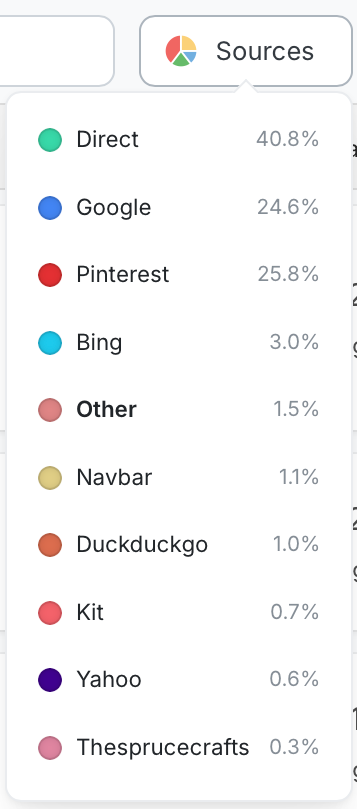
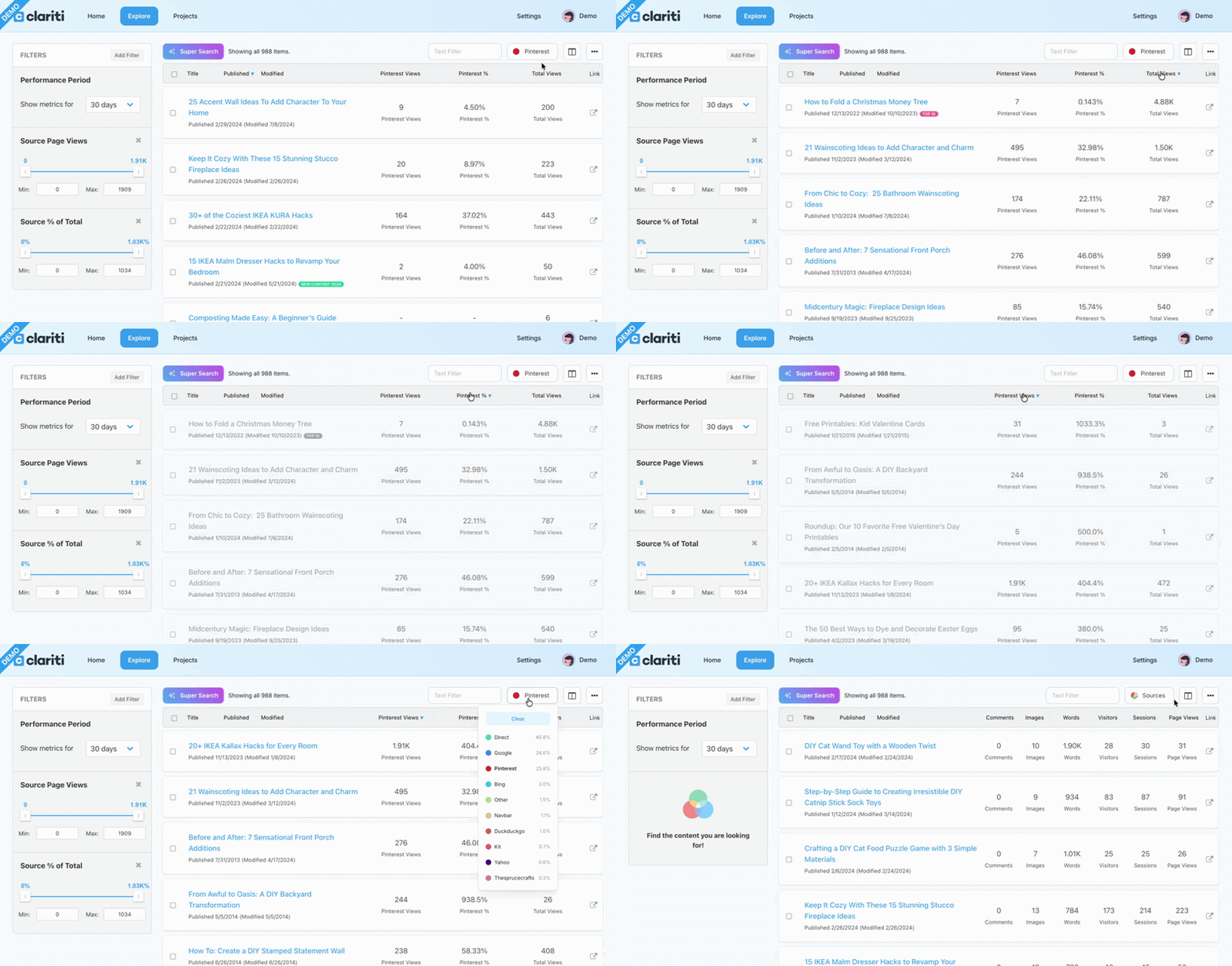
Select one, and Clariti does three things automatically:
- Updates your columns to show source page views, source percentage of total traffic, and total views for every post in your library
- Auto-applies filters on the left for source page views and source percentage so you can immediately narrow the results
- Makes every column header clickable so you can sort your entire library — highest to lowest, or lowest to highest — by that source’s performance
That last part is the one we’re most excited about. Sorting by column turns a data view into an action list.
What You Can Do With This
Here are a few ways to put this to work immediately:
- Find your top performers for any source. Select a source and sort by source views descending. The posts at the top are your strongest performers for that channel — worth doubling down on.
- Uncover untapped opportunities. Sort by source percentage ascending to surface posts that perform well overall but are getting almost nothing from a specific source. These are often your best candidates for channel-specific optimization.
- See where your email traffic actually lands. Select your email provider as a source and sort by views to understand which posts your newsletter is driving readers to — and whether those posts are pulling their weight.
- Compare how different sources behave. Switch between sources to see which types of content dominate on Google versus social versus direct. Useful context for planning what to create next.
Everything Is Adjustable
The auto-populated filters are a starting point, not a locked view. Adjust the ranges, add new filters, remove the defaults, or combine with other Clariti filters like labels or performance period to build exactly the view you need. All columns can be added or removed too. You’re in full control.
A Note on the Source List
Your top 10 sources are based on the past 12 months of data and stay consistent as you change date ranges. This keeps loading fast and gives you a stable reference for your biggest traffic drivers no matter what time period you’re analyzing.
Available Now
Traffic source filtering and sorting is available to all Clariti subscribers today. Head to your Explore page to try it out — and let us know what you find. We love hearing how you’re using Clariti to make smarter decisions about your content.

About the Author
Jen is the Associate General Manager at Clariti with a soft spot for great tech and good snacks. She has a Master’s degree in Human-Computer Interaction (which is a fancy way of saying she’s really into how people and tech get along). When she’s not working, you can usually find her hanging out with her family or baking something she’ll insist is “just a little treat.”