Whether you’re already using Clariti to manage and update your blog – or you’re just discovering us – we’re excited to introduce two brand-new features designed to help you stay organized, work more efficiently, and keep your blog performing at its best:
✓ My Tasks (included in all plans)
✓ My Reminders (Premium-only)
These new dashboard panels located on your Home tab surface everything due in the next 30 days, giving you instant clarity on what needs your attention next.
Meet My Tasks – Stay on Top of What’s Coming Up
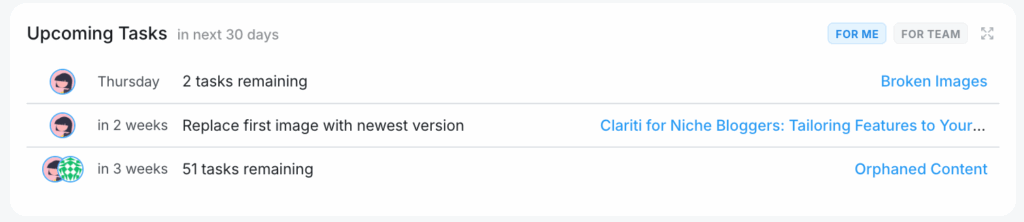
Every blogger has a mix of things to manage: posts to update, fixes to make, projects to complete. My Tasks brings all of that into one simple, powerful dashboard view.
What My Tasks Does
My Tasks shows everything due in the next 30 days – and it automatically pulls from two places:
1. Project-Based Tasks
If you manage your work using Projects in Clariti (like “SEO Cleanup,” “Content Refresh,” or “Holiday Prep”), any Project with a due date will appear here.
You’ll see:
- The project name
- The total number of remaining tasks
- A link to jump directly into the Project
2. Individual Post Tasks
Not every task belongs to a Project, so My Tasks also includes tasks added directly to your blog posts.
Good to know: Tasks and Projects only appear on your dashboard if they have a due date. They do not need to be assigned to anyone.
Perfect for Teams Too
If you work with editors, VAs, or writers inside Clariti, you’ll now see an extra tab: For Team.
This surfaces all tasks assigned to your team members so you can quickly check what’s coming due.
Expandable. Clickable. Convenient.
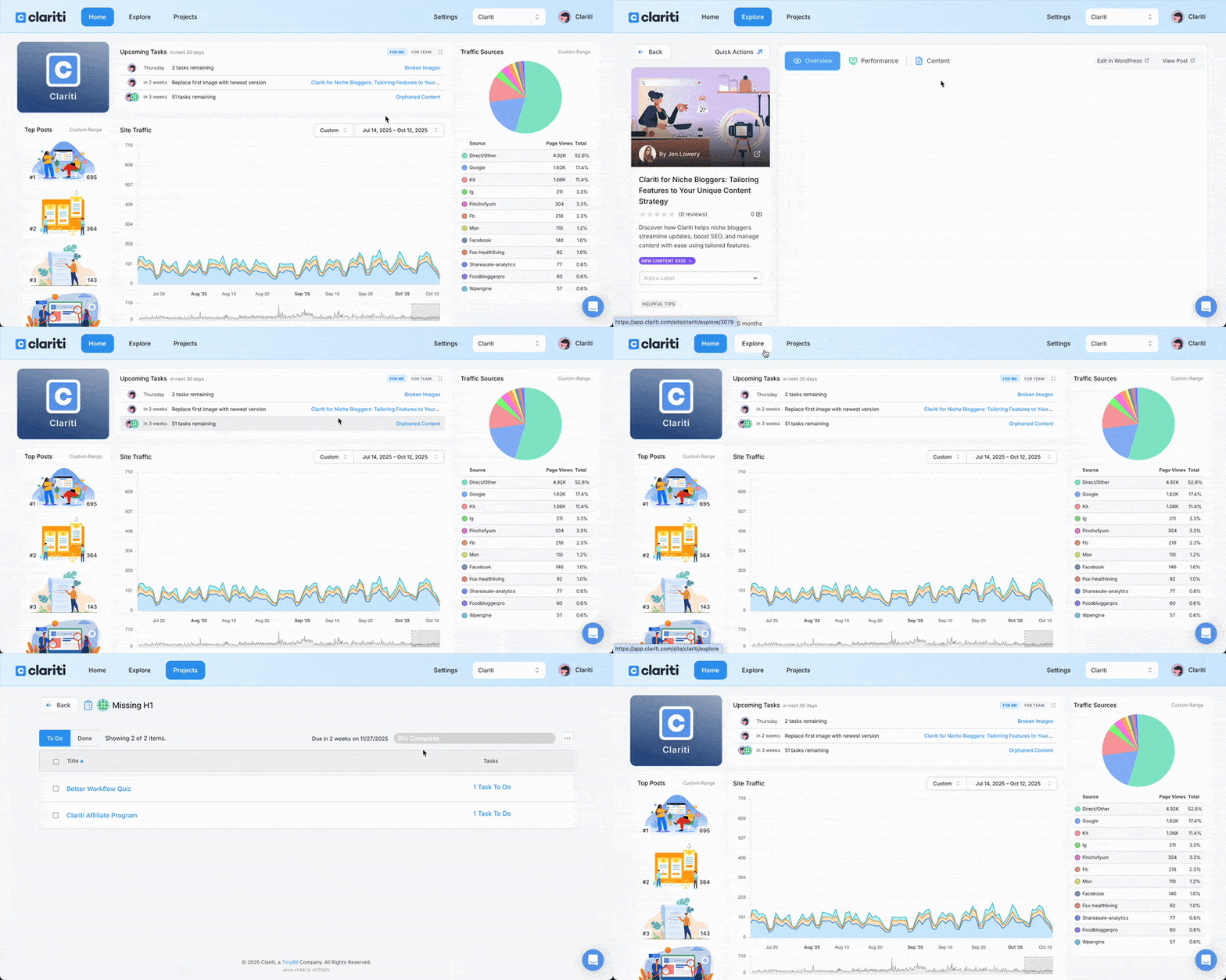
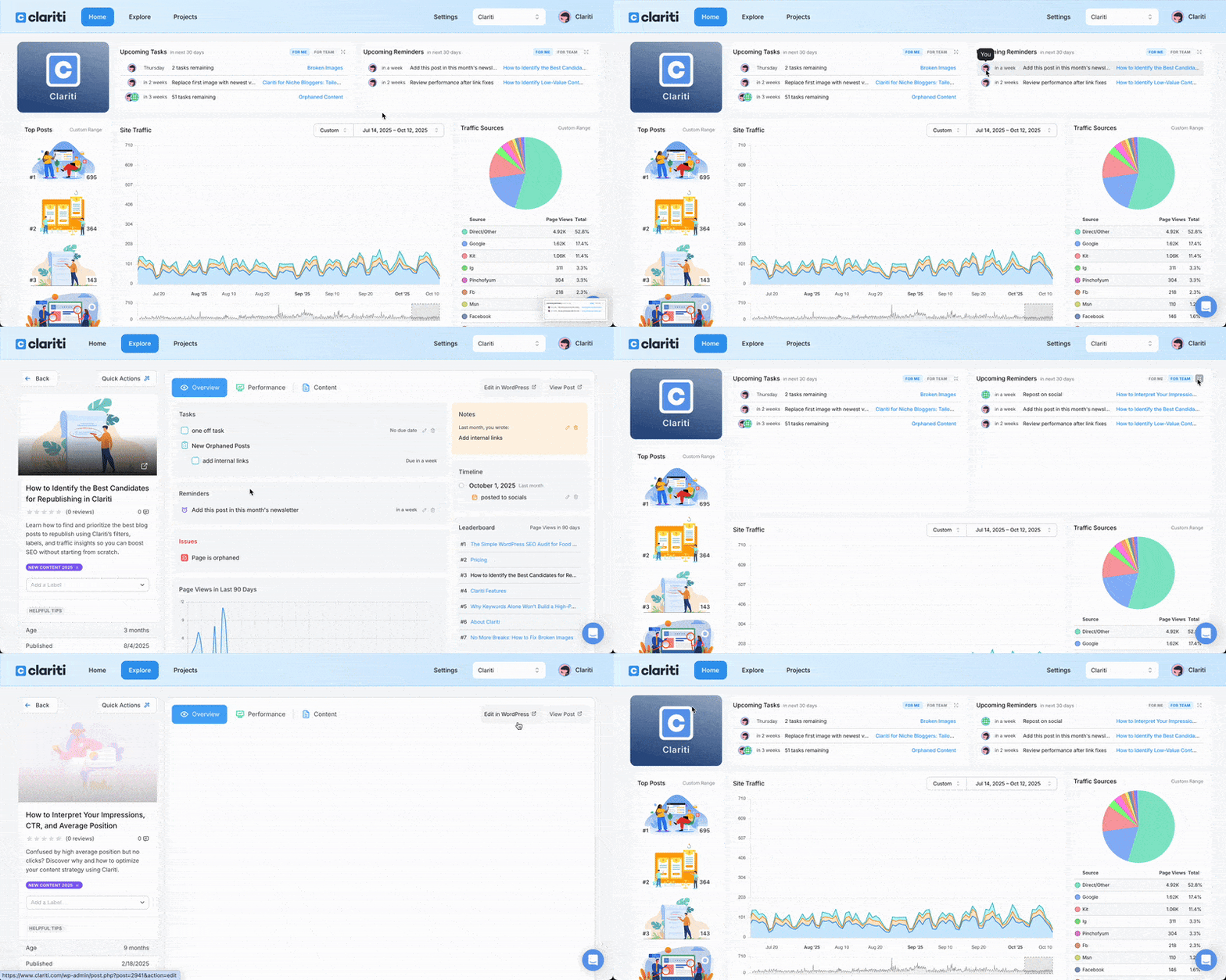
Open the box to see more, or click any item to jump straight to its Project or individual post.
Premium Feature: My Reminders – Never Miss an Important Review Again
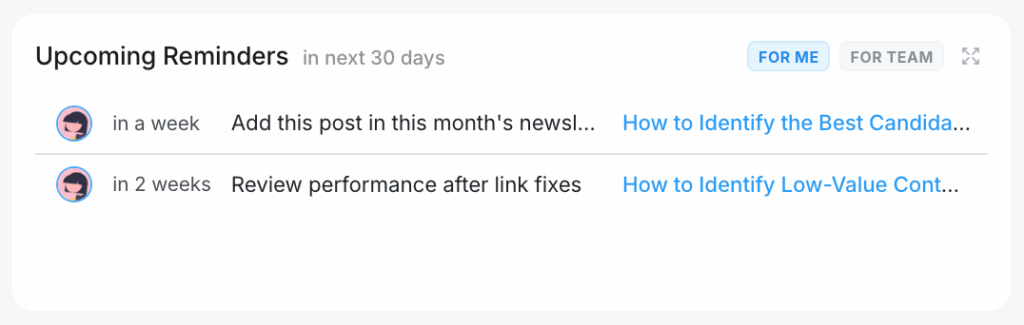
If you’ve ever thought, “I should check on that post again in a few months,” Reminders are about to become your new best friend.
Clariti’s existing Reminder system lets you schedule future check-ins for posts or processes. Now, Premium users will see all upcoming Reminders directly on the dashboard.
What My Reminders Does
- Shows all Reminders due within the next 30 days
- Helps you stay accountable to routine optimizations, seasonal updates, or recurring reviews
- Works alongside My Tasks to create a complete view of your upcoming work
Team Support Included
Premium teams will also see the For Team tab here, showing Reminders assigned to collaborators.
Expandable & Clickable
Just like My Tasks, you can expand the panel to view more items or click directly into any Reminder to make updates.
Why These Features Matter
Blogging today involves far more than just publishing. It’s an ongoing cycle of updating, optimizing, checking links, improving site performance, and keeping evergreen posts fresh.
These new features help by:
- Showing what’s due soon – without digging into Projects or posts
- Reducing mental load (“What should I work on next?”)
- Helping teams coordinate better
- Supporting long-term blog maintenance instead of one-off fixes
- Ensuring nothing falls through the cracks
If you’re new to Clariti, this is a perfect introduction to how the platform keeps your blog organized behind the scenes. And if you already use Clariti, these tools will make your workflow even smoother.
Available in Your Clariti Dashboard Today
My Tasks is available to all users.
My Reminders is available for Premium subscribers.
If you’re already using Clariti, you’ll see these features as soon as you log in. If you’re not yet using Clariti and want a smarter way to manage and grow your blog, now is a great time to try it.

About the Author
Jen is the Associate General Manager at Clariti with a soft spot for great tech and good snacks. She has a Master’s degree in Human-Computer Interaction (which is a fancy way of saying she’s really into how people and tech get along). When she’s not working, you can usually find her hanging out with her family or baking something she’ll insist is “just a little treat.”